Claude Web vs. Desktop vs. Code vs. Cowork
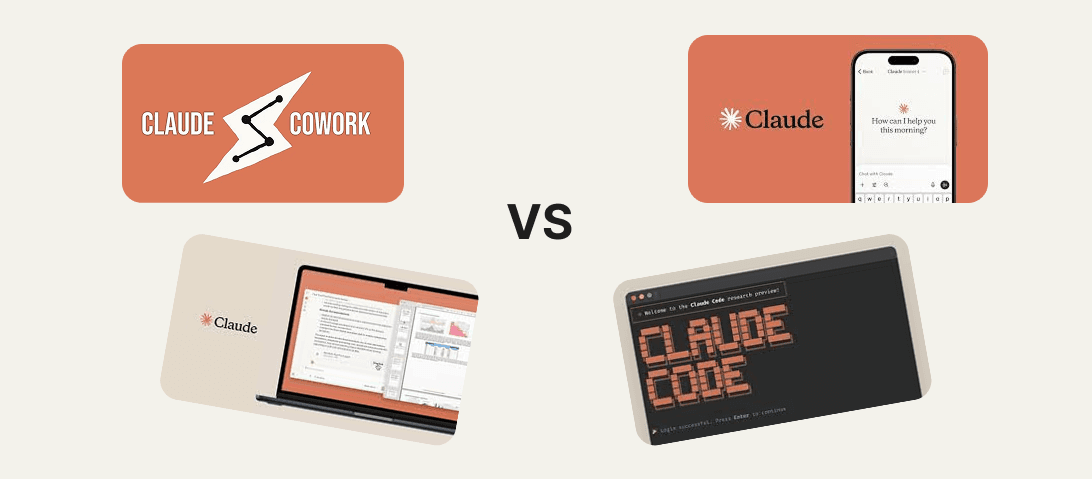
If you are confused by Anthropic’s product lineup in 2026, you aren’t alone. Two years ago, "Claude" was just a website where you typed text and got answers. Today, it is a fragmented ecosystem of specialized tools designed for different types of work.
The release of Claude Cowork and Claude Code alongside the standard Desktop App has created a confusing matrix of capabilities. Is "Cowork" just a new name for the Desktop app? Do you need "Code" if you aren't a developer?
Here is the definitive guide to the four faces of Claude and which one you should be using.
1. Claude Web (The Generalist)
The "Quick Chat" Interface
- URL: claude.ai
- Best For: Quick questions, drafting emails, summarizing pasted text, and light creative work.
- The Vibe: This is the classic experience. It runs in your browser (Chrome/Edge/Arc). It uses the latest models (Sonnet 4.5 / Opus 4.5), but it is "sandboxed" by the browser. It cannot see your files unless you manually upload them, and it forgets everything once you close the tab (unless you use Projects).
- Limitation: It has no "agency." It cannot reach out and touch your computer. It can only talk to you.1
2. Claude Desktop (The Hub)
The "Power Station"
- Platform: macOS / Windows App
- Best For: Power users who want keyboard shortcuts, voice mode, and access to Agentic tools.
- The Vibe: The Desktop app looks like the website, but it acts as the "Operating System" for Anthropic’s advanced features. It is required to run Cowork. It supports system-wide hotkeys (Alt+Space) to summon Claude instantly over any app.
- Key Differentiator: It is the container for the "Agent." If you want Claude to interact with your local environment, you must install this app.2
3. Claude Code (The Engineer)
The "Terminal" Interface
- Interface: Command Line / Terminal (CLI)
- Best For: Software Engineers, DevOps, and Data Scientists.
- The Vibe: This is "Matrix mode." There is no pretty window. You run it in your terminal. It has deep, raw access to your code repositories. It can run tests, edit thousands of files across a codebase, and execute git commands.
- The Superpower: It is "Git-Aware." It knows what you changed, what branch you are on, and can run a build to see if it broke anything. It is the most powerful version of Claude, but it requires technical confidence to use safely.4
4. Claude Cowork (The Agent)
The "Business" Interface
- Interface: A dedicated tab inside the Claude Desktop app.
- Best For: Analysts, Consultants, Researchers, and "Non-Technical" Deep Work.
- The Vibe: This is the bridge between the chat and the code. Cowork wraps the power of "Claude Code" in a friendly, visual interface. Instead of typing commands in a terminal, you drag-and-drop a folder (e.g., "Q3 Financials") into the Cowork tab.
- The Architecture: Unlike the Web or Desktop Chat, Cowork runs inside a secure Virtual Machine (VM) on your computer (using the Apple Virtualization Framework on Mac). This means it can safely "mount" your local files to read, edit, and reorganize them without risking your entire machine.
- The Killer Feature: Autonomous execution. You can tell Cowork: "Take this folder of 50 PDF invoices, extract the dates and totals, and put them into a single Excel file." It will spin up a sub-agent, do the work file-by-file, and save the result to your drive.4
Summary: Which one do I need?
- Use Claude Web if you just need to ask a quick question or write a poem.
- Use Claude Desktop if you want a faster, always-on experience with voice dictation.
- Use Claude Code if you are a developer refactoring a React application or fixing a bug in a Python script.
- Use Claude Cowork if you are a business professional who needs to process files, clean data in Excel, or organize messy folders without learning how to use a terminal.
The Bottom Line for 2026:
The "Chatbot" is dead. The future is the Agent. For most business professionals, Claude Cowork (running inside Claude Desktop) is the most significant productivity leap since the invention of the pivot table. It finally allows you to delegate work, not just text