The Claude Desktop App: What It Is, What It Does, and Where It Falls Short
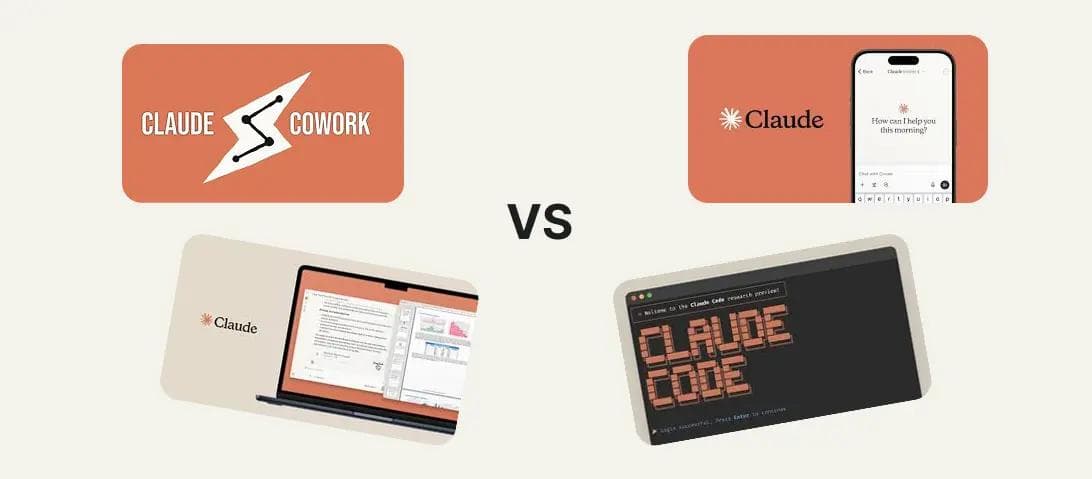
In 2025, the Claude desktop app was a chat window with a nice icon in your dock. In 2026, it is a local operating system for AI-driven work. Anthropic has rebuilt the application around three distinct modes — Chat, Cowork, and Code — each designed for a fundamentally different type of task. For finance professionals, consultants, and anyone who produces deliverables for a living, the distinction between these modes matters more than the underlying model powering them.
This is a guide to what the Claude Desktop App actually does today, how the three modes work, and where the experience still breaks down.
The One-Sentence Version
The Claude Desktop App is a macOS and Windows application that gives Claude direct access to your local files, your screen, and your terminal — turning it from a chatbot into an autonomous agent that can read, write, organize, and build on your behalf.
The Three Modes: Chat, Cowork, and Code
The desktop app is organized into three top-level tabs. Each represents a different level of autonomy and a different relationship between you and the AI.
Chat: The Conversational Layer
Chat mode is the familiar interface. It works like the web version of Claude — you type, it responds. The desktop-native additions are small but meaningful.
Quick Entry lets you summon Claude from any application via a keyboard shortcut (double-tap Option on macOS). A slim text field appears at the bottom of your screen. You type a question, get an answer, and return to what you were doing. No window switching. Screenshots let you drag-select a portion of your screen and attach it directly to your message. If you are staring at a formula error in Excel or a confusing chart in a pitch deck, you can show Claude what you see instead of describing it.
Chat mode also includes voice dictation (triggered by the Caps Lock key on Mac), which transcribes your speech in real time and sends it as a prompt. For quick questions, brainstorming, or drafting text, Chat is sufficient. It is passive — it waits for you to ask, provides an answer, and does not touch your files or your system.
The limitation here is the same one that applies to any chatbot: you are the executor. Claude tells you what to do. You do the work. For a quick question about DSCR thresholds or a first draft of an email, that is fine. For anything that involves touching files, Chat mode is the wrong tool.
Cowork: The Desktop Analyst
Cowork mode is where the Claude Desktop App becomes genuinely different from the web experience. This is a fully agentic environment where Claude operates directly on your local file system.
When you start a Cowork session, you designate a local folder as Claude's workspace. From that point, Claude can read every file in that folder, create new documents (Word, Excel, PowerPoint), reorganize the directory structure, and produce finished deliverables — all without you uploading or downloading anything. Your files never leave your machine. The work happens inside a secure, sandboxed virtual machine running locally on your hardware.
This is Claude as a Desktop Analyst. You point it at a messy folder of PDFs, CSVs, and term sheets and say "build me a lease abstract in Excel with these columns." It reads the source documents, cross-references the data, writes the .xlsx file with working formulas, and saves it to your drive. You open the file in Excel. The formulas work.
Cowork also includes Computer Use, a research preview feature that allows Claude to see your screen via screenshots and interact with other desktop applications by moving the cursor, clicking, and typing. If a task requires pulling data from a legacy system that has no API — a proprietary property management tool, an old desktop CRM — Claude can navigate the UI visually and complete the step. Every new application interaction triggers a permission prompt before Claude proceeds.
For bulk operations, Cowork can spawn parallel sub-agents to process files concurrently. Hand it 50 expense reports and ask for a consolidated summary; it divides the work internally and reassembles the output.
The pricing gate matters here. Cowork requires a Pro ($20/month), Max ($100-200/month), or Team/Enterprise subscription. Free-tier users are limited to Chat.
Code: The Developer Agent
Code mode is a specialized environment for software engineering. It provides a GUI-based version of Claude Code — Anthropic's terminal-based coding agent — with visual diffs, live application previews, and integrated terminal access.
When you select a project folder, Claude indexes the entire codebase and builds a map of file relationships, dependencies, and architecture. You can ask it to implement a feature, refactor a module, or fix a bug, and it will navigate the codebase, propose changes in a side-by-side diff view, and let you accept or reject each modification before it writes to disk. It can run tests, start dev servers, and iterate on errors it encounters during the build process.
Code mode also supports Plan Mode, a read-only state where Claude explores the codebase and produces an implementation plan without touching a single line. You review the plan, approve it, and then Claude executes. For complex refactors or unfamiliar codebases, this two-phase workflow prevents the kind of cascading errors that autonomous coding agents are prone to.
For most finance professionals and consultants, Code mode is irrelevant. It exists for developers building internal tools, data pipelines, or custom integrations. But for firms with in-house engineering teams evaluating AI coding assistants, it is one of the strongest options available.
Beyond the Three Modes: The Supporting Infrastructure
Dispatch and Mobile Continuity
Dispatch is the feature that turns the desktop app into a persistent worker rather than a session-based tool. You can assign a large task — "process these 200 invoices and build a summary spreadsheet" — and close the app or walk away. Claude continues the work in the background. When it finishes, it sends a notification to your phone.
The mobile app pairs with the desktop via QR code, creating a persistent thread between the two devices. You can start a Cowork task on your desktop, leave the office, and monitor progress or grant permissions from your phone. If Claude encounters a high-stakes action (deleting files, opening a new application), it sends an approval request to your mobile device rather than blocking indefinitely.
This matters for the kind of tasks deal teams actually run. Processing a data room, building comp sets from dozens of source documents, or reconciling a portfolio of rent rolls — these are not five-minute conversations. They are multi-hour workflows. Dispatch lets you delegate them and get the output when it is done.
MCP Integrations and Desktop Extensions
The Model Context Protocol is Anthropic's framework for connecting Claude to external tools and data sources. In the desktop app, MCP integrations are installed via Desktop Extensions — single-click .mcpb files that handle setup, dependencies, and permissions automatically.
The built-in extension marketplace offers verified integrations for Google Workspace, Slack, GitHub, Jira, and PostgreSQL, among others. These are not chat plugins. They give Claude direct read and write access to your tools. The Google Workspace integration, for example, lets Claude pull data from your Drive, edit a Doc, and populate a Sheet in a single workflow.
For firms with proprietary systems, custom MCP servers can bridge the gap. If your deal data lives in a SQL database or a bespoke internal tool, an MCP server lets Claude query it natively without copy-pasting data into a chat window.
Persistent Memory and Projects
Claude's memory system now operates on two tiers. Global Memory persists across all conversations — your role, your preferences, your firm's conventions. Project Memory is isolated to a specific workspace, so the context from your personal notes does not contaminate your deal analysis. Memory updates happen both automatically (Claude scans conversations every 24 hours for durable facts) and manually (you can tell Claude to remember something explicitly).
Projects function as organized workspaces where you can upload reference documents, set custom instructions, and maintain a persistent knowledge base. For teams on the Team or Enterprise plan, projects can be shared across members, creating a collective "source of truth" for brand guidelines, deal templates, or standard operating procedures.
Artifacts
Artifacts have evolved from static code previews into functional micro-applications. Claude can generate interactive dashboards, calculators, and data visualizations that persist across sessions and store up to 20MB of data. You can publish an Artifact to a shareable URL, and recipients can view it without a Claude account.
For practical purposes, Artifacts are useful for building quick internal tools — a sensitivity table calculator, a deal screening scorecard, a portfolio summary dashboard — without writing a full application.
Where the Claude Desktop App Still Falls Short
No honest assessment of this tool would skip the friction points. There are several, and some are significant.
Usage limits are aggressive and opaque. Anthropic introduced peak-hour multipliers in early 2026 that increase the token cost of prompts during high-traffic windows (roughly 5-11 AM Pacific). Pro users regularly report hitting their session ceiling in two to three messages during peak hours when using Opus 4.6. The usage meter has also been reported to consume quota inconsistently, with single prompts occasionally burning through 30-50% of a session allowance. For a $20/month product, this is a real constraint. Max users at $100-200/month fare better, but the lack of transparent, predictable pricing per task remains a sore point.
macOS gets the premium experience. Computer Use — the ability for Claude to visually interact with other desktop applications — remains macOS-only as of April 2026. Windows users have access to Chat and Cowork's file-based capabilities, but the deeper system integration that makes Cowork genuinely powerful is still absent. If your firm is Windows-first, the experience is meaningfully diminished.
Reliability is inconsistent. The Cowork VM sometimes fails to download or initialize, resulting in silent failures where the feature simply never starts. Windows users face recurring installation issues, including signature verification errors on Windows 11. The UI occasionally hangs, truncates long outputs, or clears responses before they finish rendering. These are the kinds of bugs that erode trust in an autonomous agent — if you cannot rely on it to complete a task without supervision, the autonomy loses its value.
No image generation. Unlike ChatGPT (DALL-E) or Gemini (Imagen), Claude does not generate images. If your workflow involves creating visual assets — charts for pitch decks, mockups, or branded graphics — you will need a separate tool.
Security is a legitimate concern. Computer Use requires granting Claude Accessibility and Screen Recording permissions at the OS level. The feature works by taking continuous screenshots of your active window and reasoning about them. Anthropic processes this locally, but there is no granular control over which windows or applications Claude can "see." For deal teams handling confidential information — term sheets, LOIs, financial models — this lack of fine-grained permissions is a real issue. The sandboxed execution environment mitigates some risk, but the screenshot-based approach creates an uncomfortable surface area for firms with strict data governance policies.
Who Should Use It, and How
If you are an analyst or associate producing deliverables daily, Cowork mode is the feature that matters. The ability to point Claude at a local folder and get back a formatted Excel file, a lease abstract, or a reconciliation report — without uploading anything to a cloud service — is a genuine workflow improvement. Start with Pro. Upgrade to Max if you consistently hit usage limits.
If you are a developer building internal tools or maintaining a codebase, Code mode is a strong competitor to GitHub Copilot and Cursor. Plan Mode alone is worth evaluating. The visual diff interface and integrated terminal make it more accessible than the CLI-only Claude Code for less terminal-fluent engineers.
If you are an IT leader or CISO, the local-first architecture is the primary selling point. Files processed in Cowork mode stay on your machine. But Computer Use permissions and the screenshot-based interaction model require careful evaluation against your firm's security policies before deployment.
If you are a firm leader evaluating AI for your deal team, the Claude Desktop App is one of the most capable general-purpose agents available. It handles files, produces deliverables, and operates locally. But it is still a general-purpose tool. Every time you start a new project, you teach it your conventions from scratch — how your firm formats an IC memo, what columns belong in your rent roll summary, what your sensitivity table increments should be. It does not know your industry natively. It learns it per session, per prompt, per project.
Purpose-built AI coworkers — like those from Lumetric — take the raw capability of tools like Claude and make it specific. A coworker that already understands how to structure a lease abstract, how to reconcile CAM charges against a general ledger, or how your firm expects an LBO model to be laid out. Not a general agent you configure for deal work. A deal team member that was built for it.